My Library
My Library is a personal dashboard where users can access their liked content, watch history, and subscriptions.
Overview
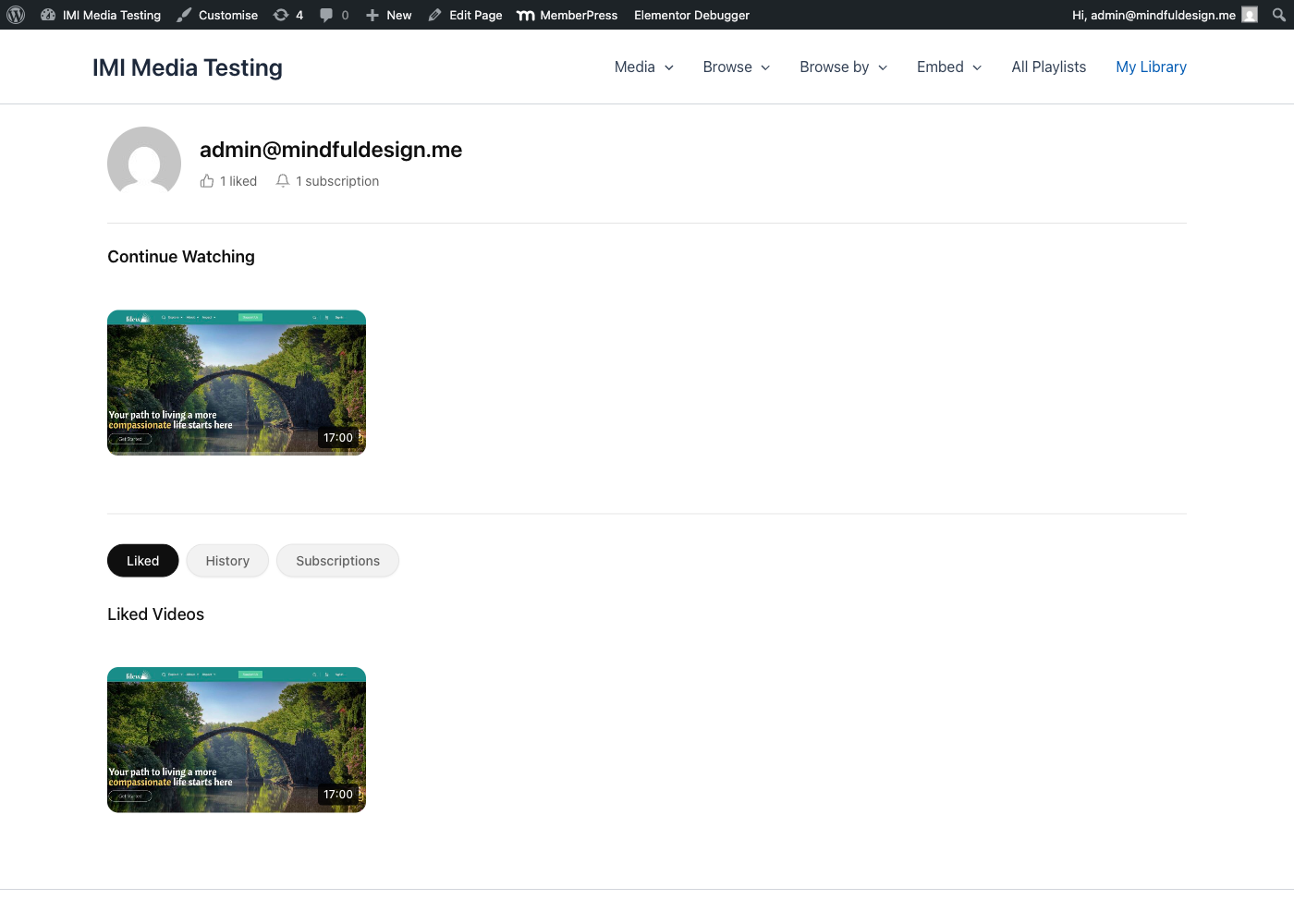
My Library includes:
- Continue Watching - Resume incomplete videos
- Liked Videos - Favorited content
- Watch History - Recently viewed
- Subscriptions - Followed teachers/topics
Auto-Created Page
A "My Library" page is automatically created when MindfulMedia is activated:
- Page contains
[mindful_media_library]shortcode - Accessible to logged-in users
- Can be renamed or moved
Adding to Your Site
Already Created
Check Pages for "My Library" - it's created on activation.
Manual Setup
Create a page with:
Menu Integration
Add to your navigation menu:
- Go to Appearance → Menus
- Add the "My Library" page
- Optionally show only to logged-in users
Sections
Continue Watching
Shows videos with saved progress:
- Progress bar indicator
- Resume from where you left off
- Automatically appears when progress exists
- Videos removed when completed (>90%)
Logic:
- Checks
playback_progresstable - Filters items with progress < 90%
- Orders by last viewed date
Liked Videos
All videos the user has liked:
- Grid display with thumbnails
- Click to watch
- Unlike available in modal
Logic:
- Pulls from
likestable - Ordered by like date (newest first)
Watch History
Chronological history of viewed videos:
- Recently watched first
- Shows view timestamp
- Click to rewatch
Logic:
- Pulls from
watch_historytable - Ordered by view timestamp
Subscriptions
Manage all subscriptions:
| Subscription Type | Display |
|---|---|
| Teachers | Teacher name with toggle |
| Topics | Topic name with toggle |
| Playlists | Playlist name with toggle |
| Categories | Category name with toggle |
Features:
- Toggle email notifications
- One-click unsubscribe
- Grouped by type
WooCommerce Integration
Optionally add My Library as a WooCommerce My Account tab.
Enabling
- Go to Settings → Engagement
- Enable WooCommerce My Account Tab
- Save settings
Result
- New "My Library" tab in WooCommerce My Account
- Same content as the standalone page
- Integrates with existing account area
Login Required
My Library requires authentication:
Logged-In Users
- Full access to all sections
- Personal data only
Guests
- See login prompt
- Link to login page
- Optional registration link
Customizing Login Prompt
User Profile Header
The My Library page can display a profile header:
- User avatar
- Display name
- Member since date
- Quick stats (liked, watched, subscribed)
Customization
CSS Styling
/* Library container */
.mindful-media-library {
    /* Main container */
}

/* Section headers */
.mm-library-section-header {
    /* Section titles */
}

/* Card grid */
.mm-library-grid {
    /* Grid layout */
}

/* Continue watching progress */
.mm-continue-progress {
    /* Progress bar */
}
Settings
Configure in Settings → Engagement:
| Setting | Description |
|---|---|
| Library Page | Select the library page |
| WooCommerce Tab | Enable My Account integration |
Empty States
When sections have no content:
- Continue Watching - "Start watching to see progress here"
- Liked Videos - "Like videos to save them here"
- History - "Your watch history will appear here"
- Subscriptions - "Subscribe to get notified of new content"
Privacy
- Library data is private to each user
- Not visible to other users
- Not visible to admins (except in database)
- Users control their own data
Best Practices
Promote the Library
- Add to main navigation
- Mention in onboarding
- Link from profile areas
Clear Messaging
- Explain what each section does
- Guide users to like/subscribe
- Show value of tracking progress
Mobile Experience
- Library is fully responsive
- Swipe-friendly cards
- Touch-friendly toggles