Modal Player
The Modal Player provides an immersive viewing experience with a YouTube-style interface.
Overview
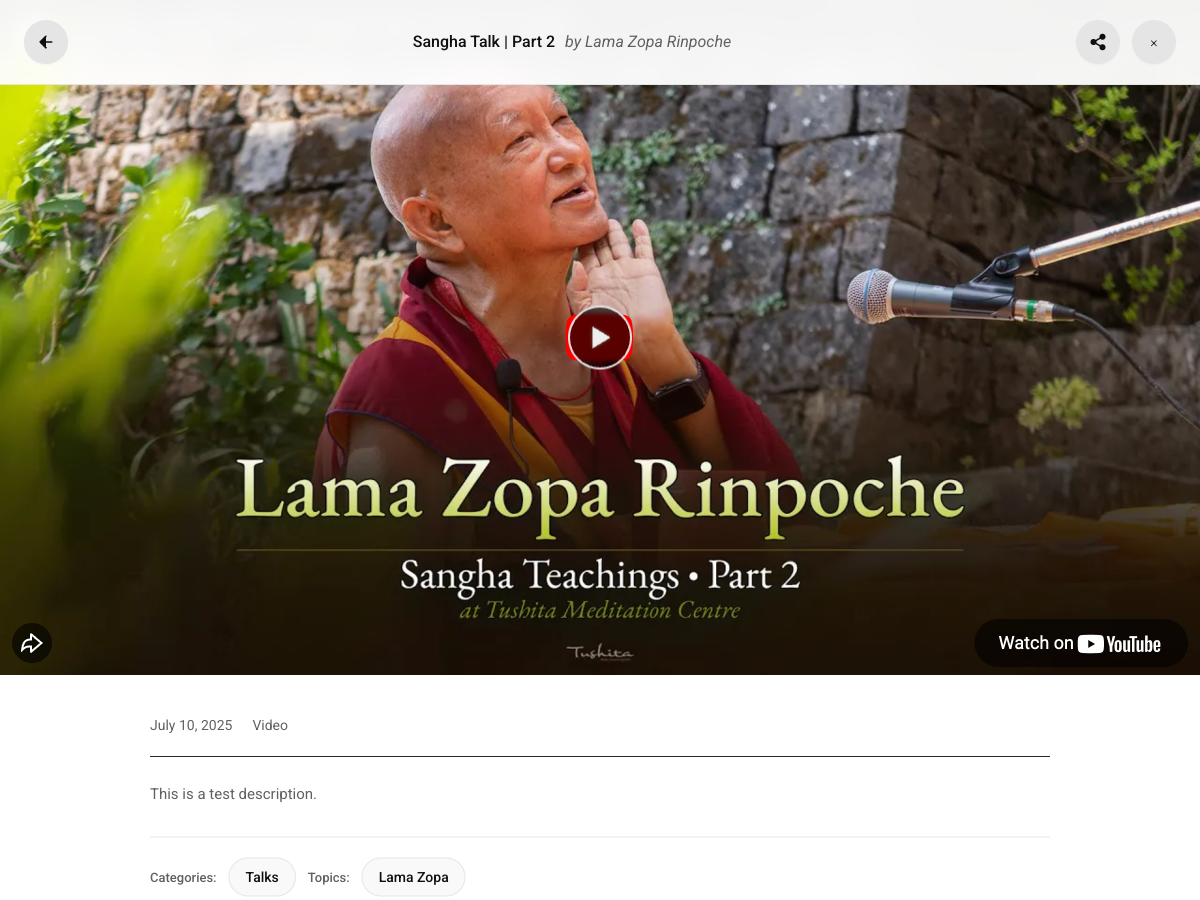
The Modal Player includes:
- Full-Screen Overlay - Dark background for focus
- Video/Audio Player - Embedded from source
- Playlist Sidebar - Navigate playlist items
- Progress Tracking - Remember where you left off
- Engagement Actions - Like, share, subscribe
Opening the Modal
The modal opens when you:
- Click a media card thumbnail
- Click a media embed
- Navigate directly to a media URL
Player Features
Video Sources
Supported video platforms:
| Platform | Embed Type |
|---|---|
| YouTube | IFrame API |
| Vimeo | Player API |
| SoundCloud | Widget API |
| Archive.org | IFrame |
| Direct URLs | HTML5 Video |
Audio Player
For audio content:
- Custom styled audio controls
- Volume slider with brand colors
- Progress bar with time display
- Album artwork display
Progress Bar
- Draggable progress indicator
- Time elapsed / total duration
- Color matches your brand settings
Playlist Sidebar
When viewing content in a playlist:
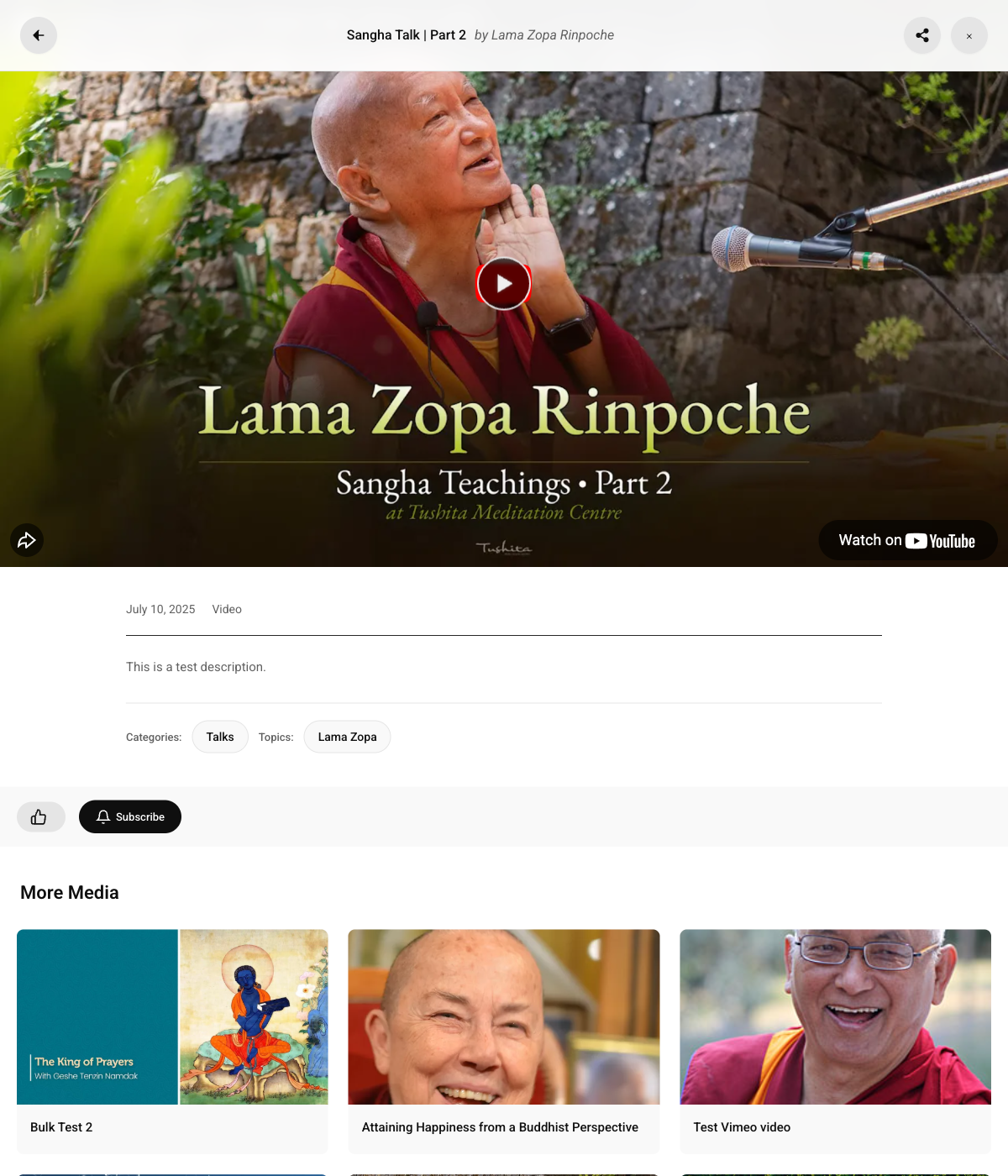
The modal shows a "More Media" sidebar with related content:
Features
- Collapsible Modules - Organize into sections
- Current Item Highlight - Shows playing item
- Progress Indicators - Checkmarks for completed
- Quick Navigation - Click to switch items
Module Structure
Playlists can have parent/child structure:
Complete Course (Parent Playlist)
├── Module 1: Introduction (Child Playlist)
│   ├── Video 1.1
│   ├── Video 1.2
│   └── Video 1.3
├── Module 2: Fundamentals (Child Playlist)
│   ├── Video 2.1
│   └── Video 2.2
└── Module 3: Advanced (Child Playlist)
    ├── Video 3.1
    └── Video 3.2
Header Actions
Close Button
Returns to the previous page or closes the modal.
Share Button
Opens a share dialog with:
- Copy link to clipboard
- Social sharing options
Back Button
Navigate back in playlist history.
Engagement Section
Below the player:
Like Button
- Heart icon with like count
- Click to like/unlike
- Requires login
Subscribe Button
- Subscribe to the teacher/topic
- Get notified of new content
- Requires login
Comments
- View existing comments
- Add new comments (if logged in)
- Moderation options available
Progress Tracking
How It Works
- Plugin tracks playback position
- Saves progress every few seconds
- Stores in
playback_progresstable - Resumes from saved position on return
Continue Watching
Progress tracking enables:
- Continue Watching section in My Library
- Resume playback from last position
- Progress indicators on cards
Completion Threshold
- Progress < 90% = "Continue Watching"
- Progress >= 90% = Marked as complete
Keyboard Shortcuts
| Key | Action |
|---|---|
| Space | Play/Pause |
| ← / → | Seek backward/forward |
| ↑ / ↓ | Volume up/down |
| M | Mute/Unmute |
| F | Fullscreen |
| Esc | Close modal |
Theming
The modal uses a dark theme:
--mm-dark-bg-primary: #0f0f0f;
--mm-dark-bg-secondary: #212121;
--mm-dark-text-primary: #f1f1f1;
--mm-dark-text-secondary: #aaaaaa;
Customizing
/* Modal background */
.mindful-media-modal {
    background: rgba(0, 0, 0, 0.95);
}

/* Player container */
.mindful-media-player-container {
    /* Your styles */
}

/* Sidebar */
.mindful-media-playlist-sidebar {
    /* Your styles */
}
Settings
Configure modal behavior in Settings → Player:
| Setting | Description |
|---|---|
| Autoplay | Start playing automatically |
| Show Related | Show related videos after |
| Progress Color | Color for progress bar |
| Hide YouTube End Screen | Cover YouTube's recommendations |